Meeting Room Touch Panel with LED Status Strips — Wall-Mounted Android AIO
The Smart Wall-Mounted Booking Display for Modern Conference Rooms
- All-in-One Meeting Control
- Customizable LED Lighting
- Android Smart System
- Ultra HD Touchscreen
- Sleek Wall-Mount Design
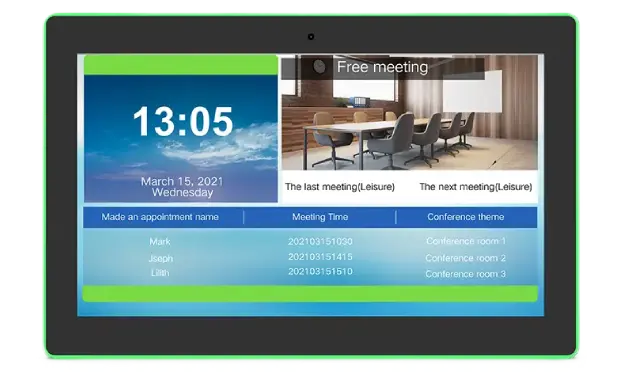
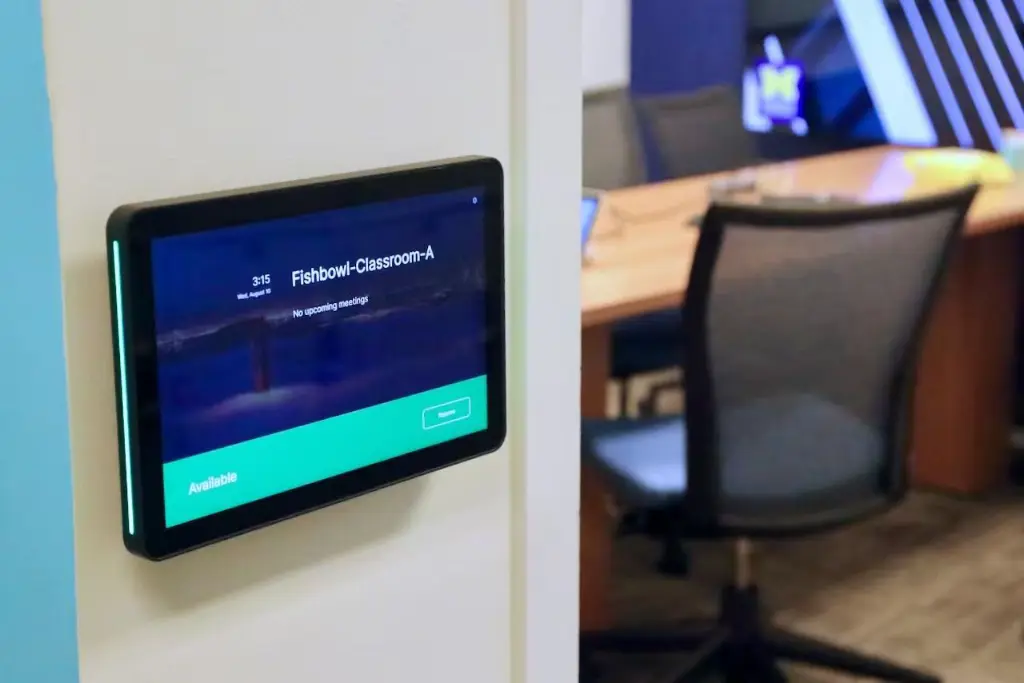
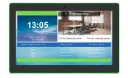
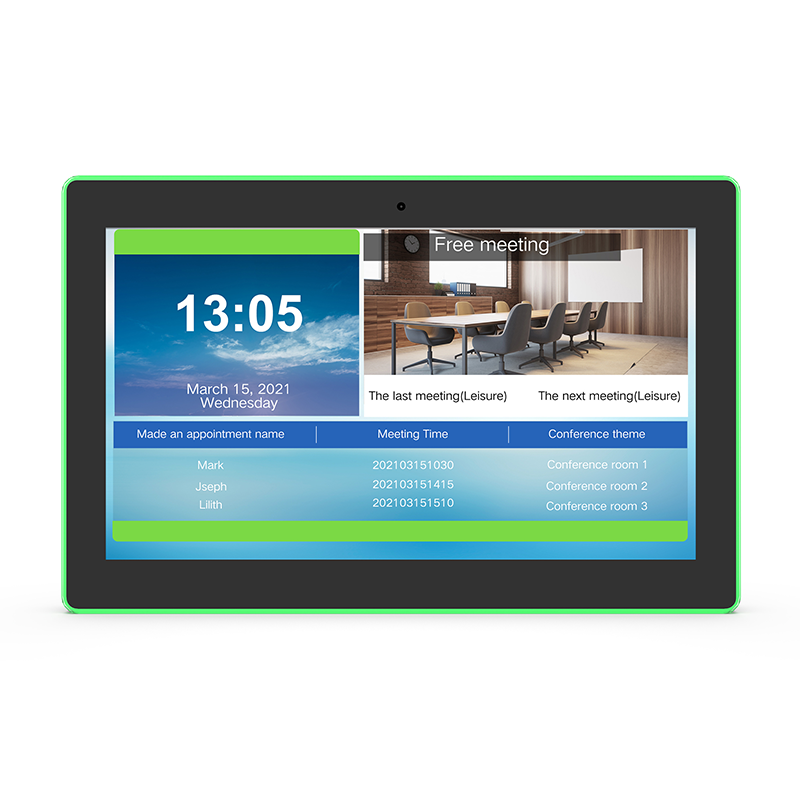
A wall-mounted Android touch panel that lives beside the meeting-room door — showing the schedule on screen while RGB LED strips on both sides broadcast availability down the whole corridor: green for free, red for in use. One PoE cable delivers power and network. Runs your room-booking app of choice, syncing with Microsoft 365, Google Workspace, Teams and Zoom Rooms platforms. Sizes from 10.1" to 32".
Overview
The schedule is on the screen. The answer is on the wall.
Nobody walks up to a room panel to read paragraphs — they want a yes or no from twenty meters away. That is what the LED strips are for: full-height RGB light bars on both sides of the bezel glow green when the room is free, red when it's occupied, and any custom color your booking software commands through the open Android API. Up close, the 10-point touch screen handles the details — book on the spot, extend a running meeting, release a room after a no-show, or scan the on-screen QR code to reserve from your phone. The panel is open Android hardware: it runs the room-scheduling app you choose, whether that syncs with Microsoft 365, Google Workspace, Teams or Zoom Rooms, a third-party workspace platform, or your own in-house system.
Built for the Wall
Install once, forget it — the engineering is in the details you stop noticing.
Key Capabilities
Six reasons offices standardize on this panel across their meeting rooms.
Status You Can See Across the Floor
Green free, red busy, amber starting soon — the RGB strips answer "is it free?" before anyone reaches the door. Colors and patterns are fully programmable via the Android API.
Book, Extend, Release — At the Door
10-point capacitive touch for on-the-spot reservations, meeting extensions and early release. On-screen QR codes let people reserve from their phone without touching the panel.
Open Android — Any Booking Platform
Runs standard APKs, so it works with room-scheduling apps that sync Microsoft 365 / Exchange, Google Workspace, Teams and Zoom Rooms — or your own in-house system. No vendor lock-in, no per-panel subscription owed to us.
One Cable Per Room, Fleet-Wide
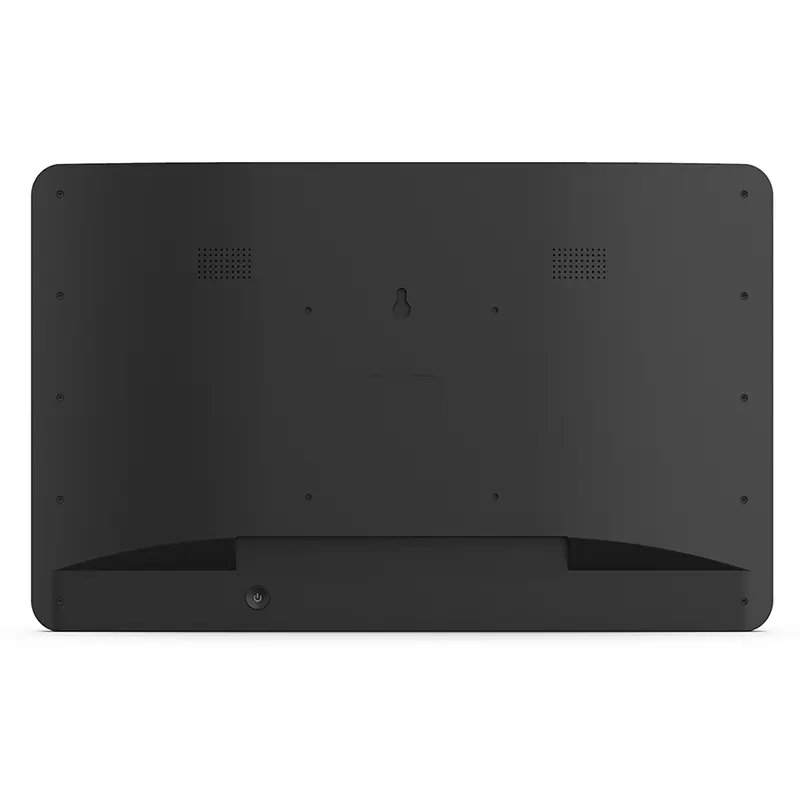
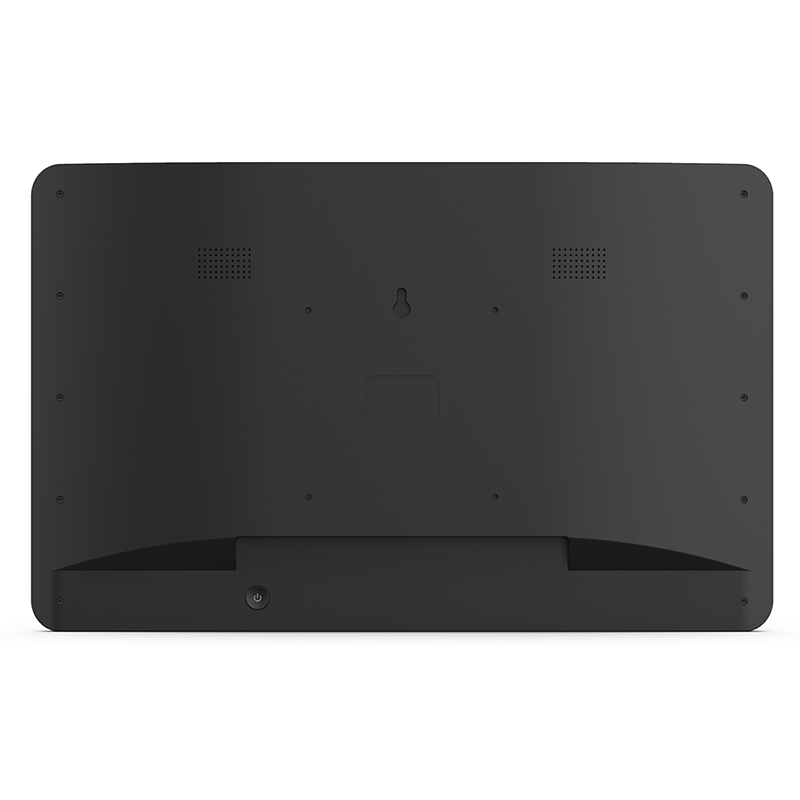
PoE means each panel needs exactly one CAT-6 run from the switch — no electrician at every door. Roll out thirty rooms in a day and reboot any panel remotely from the network closet.
Rockchip Silicon, Camera Optional
RK3566–RK3588 options up to 8 GB RAM keep booking apps responsive for years. A front 2 MP camera (optional) enables face check-in and no-show detection where your software supports it.
OEM / ODM for Workspace Brands
Custom logo, bezel finish, boot animation and factory pre-flash of your booking APK — panels arrive at your customer's site boot-ready. CE certified, 24-hour quotation response.
Your Booking Software, On Screen
Three interface patterns the panel runs today — from QR sign-in to full schedule boards. UI shown is example third-party software; the hardware runs the app you choose.
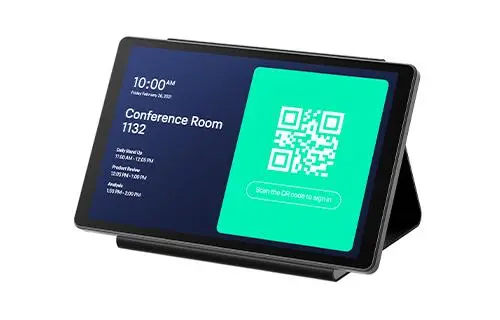
QR Scan-to-Sign-In
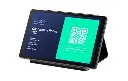
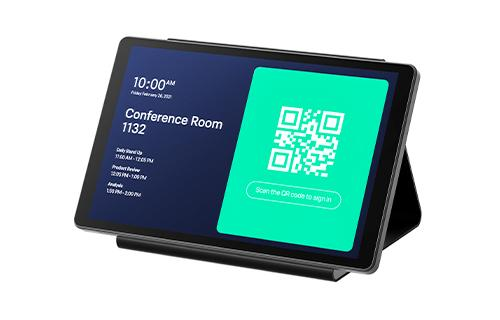
The day's agenda on the left, a large QR code on the right — attendees scan with their phone to check in, confirm the booking or claim the room. Touch-free, fast, and it automatically releases rooms nobody shows up for.
Walk-Up Instant Reservation
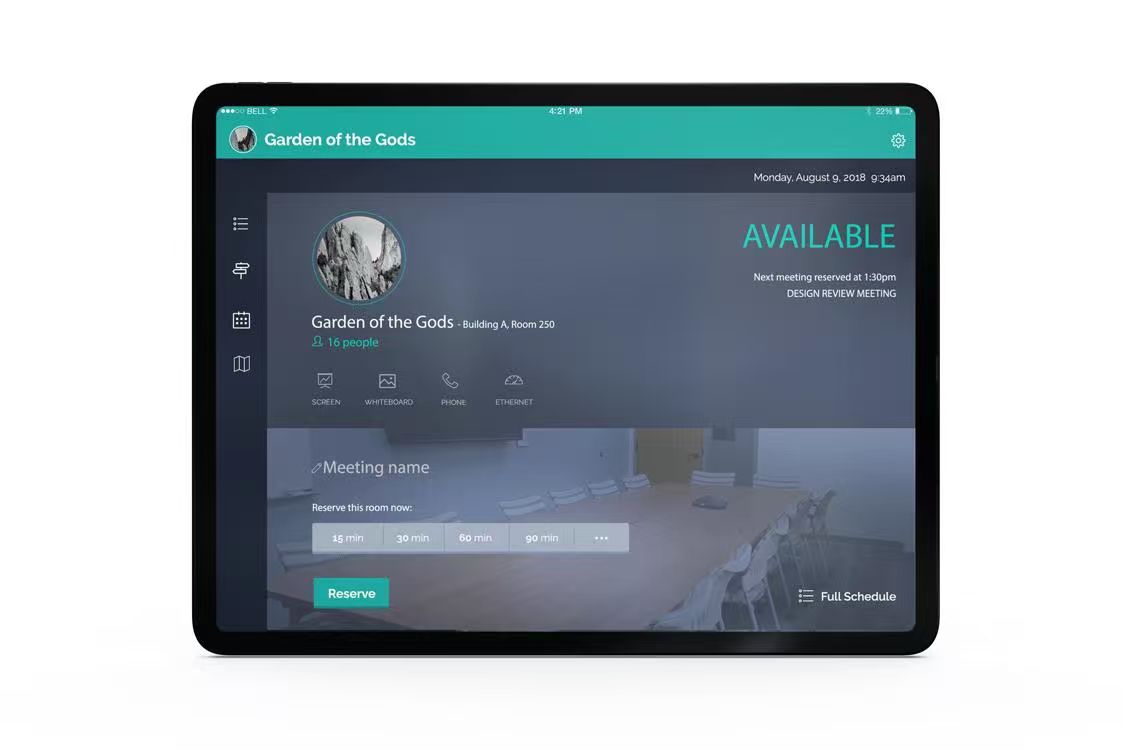
A big AVAILABLE banner, the room's name, capacity and equipment list — then one tap on 15 / 30 / 60 / 90 minutes to reserve the room right there at the door. The next scheduled meeting shows below so walk-ups never collide with bookings.
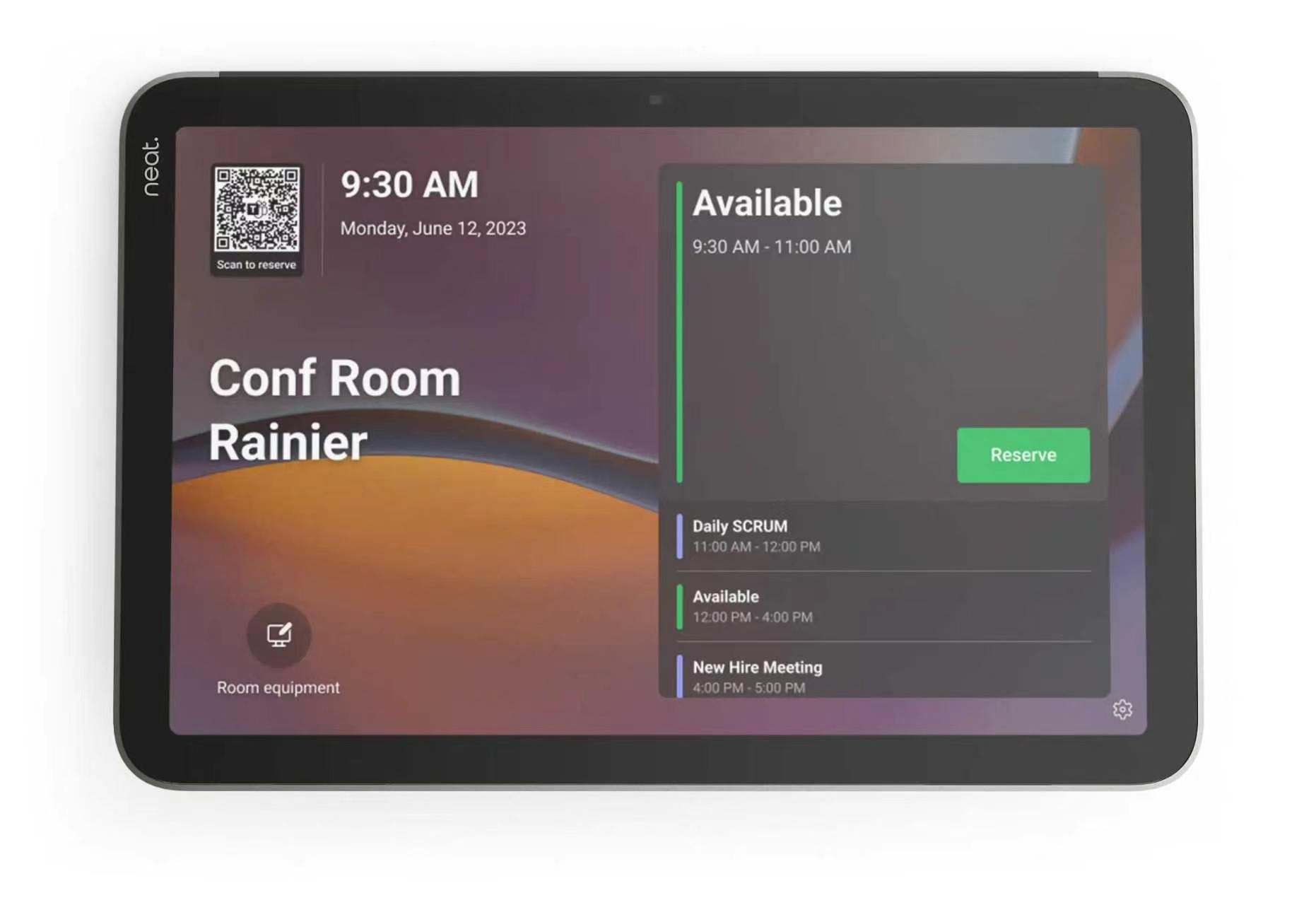
Full-Day Schedule Board
The whole day at a glance: the current availability window with a Reserve button, followed by the meeting timeline — daily stand-up, open slots, afternoon sessions. Teams see instantly when the next free window opens instead of interrupting whoever is inside.
Right-Sized for Every Room
Pick the panel size that matches the space it guards.
Technical Specifications
Reference values for the 10.1" configuration; all fields customizable for OEM orders.
| Screen Sizes | 10.1" · 13.3" · 15.6" · 18.5" · 21.5" · 32" |
| Panel | IPS LCD · 1280 × 800 or 1920 × 1080 (size-dependent) · 350 cd/m² |
| Touch | 10-point capacitive multi-touch |
| LED Status Strips | RGB, both sides of bezel, edge-wrapped · API-programmable colors & patterns |
| Operating System | Android 13 · Android 14 · Windows or Linux on request |
| Processor | Rockchip RK3566 / RK3568 / RK3576 / RK3588 |
| Memory / Storage | 2 / 4 / 8 GB RAM · 16 / 32 / 64 GB storage |
| Network | 10/100 M Ethernet with PoE 802.3at/af · WiFi 802.11 b/g/n · Bluetooth 4.0 |
| Ports | HDMI out · USB 3.0 · USB 2.0 · 3.5 mm audio |
| Camera / Mic | Front 2 MP camera · microphone (optional) |
| Speakers | Built-in 2 × 3 W |
| Power | PoE 802.3at/af (up to 25 W) · 12 V / 2 A adapter included |
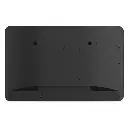
| Mounting | VESA 75 × 75 mm · drywall & glass-wall brackets available |
| Dimensions (10.1") | 253 × 172 × 43.8 mm · 1.2 kg |
| Operating Temperature | 0 – 40 °C |
| Certification | CE compliant |
Seen in the Field
Four deployment patterns — from corporate floors to campuses and paperless boardrooms.
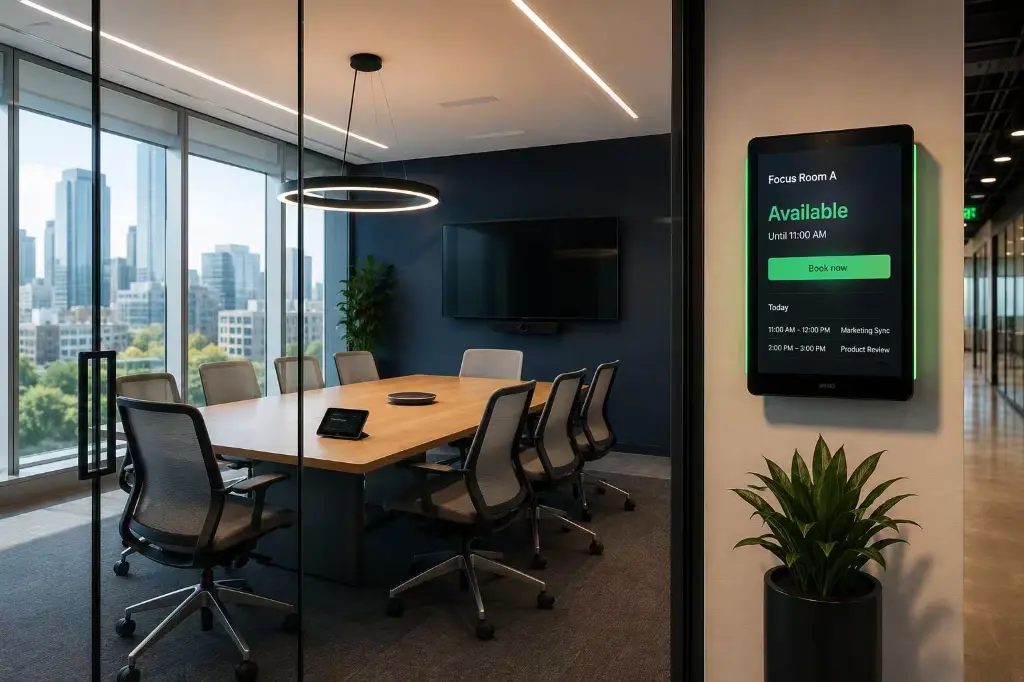
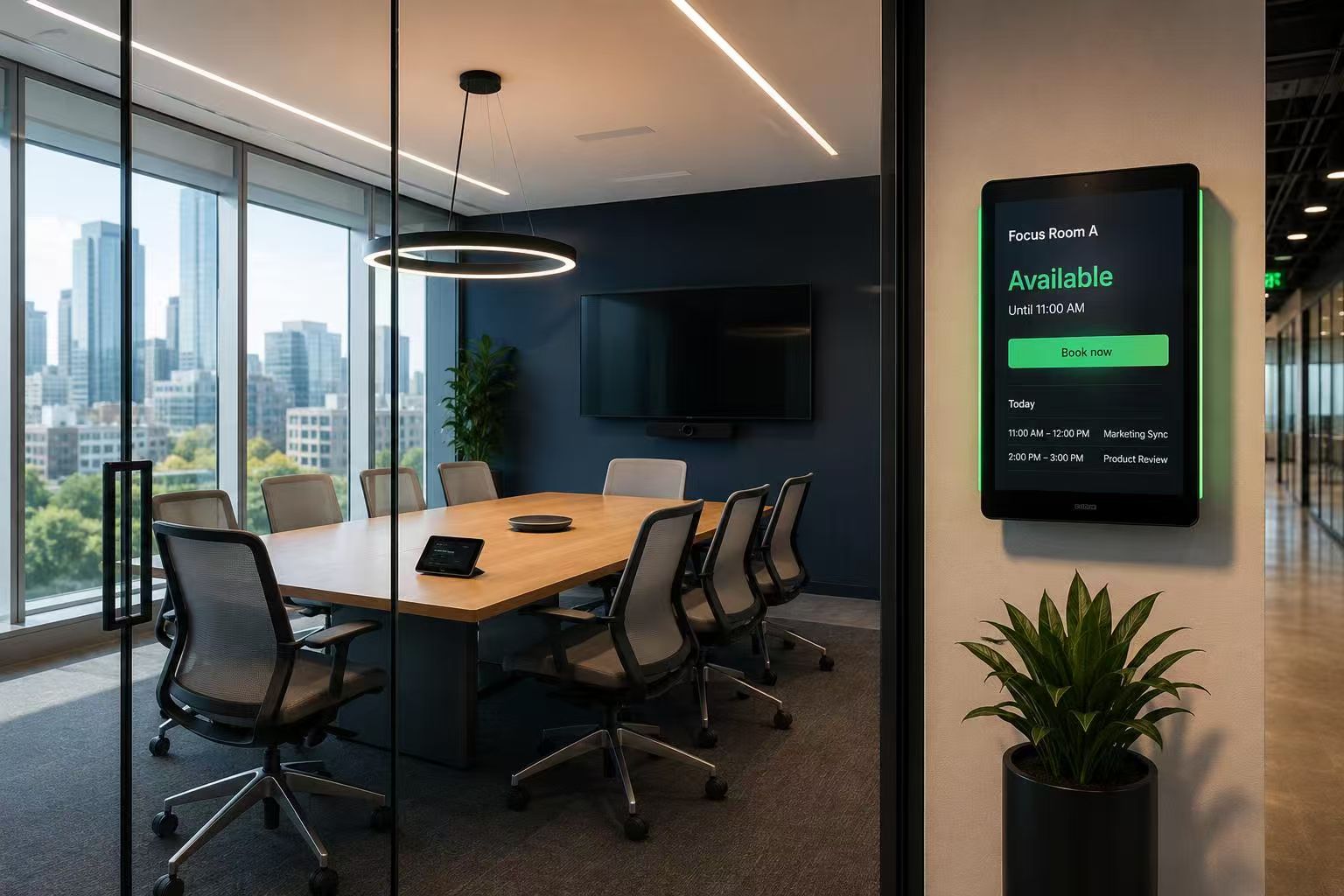
Glass-Wall Meeting Rooms, Portrait Mount
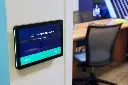
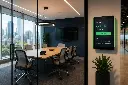
Mounted in portrait beside a glass-walled focus room, the panel shows AVAILABLE with a one-tap Book Now button and today's schedule below. The green LED edge is readable from the far end of the corridor — walkers see the answer long before they can read the screen.
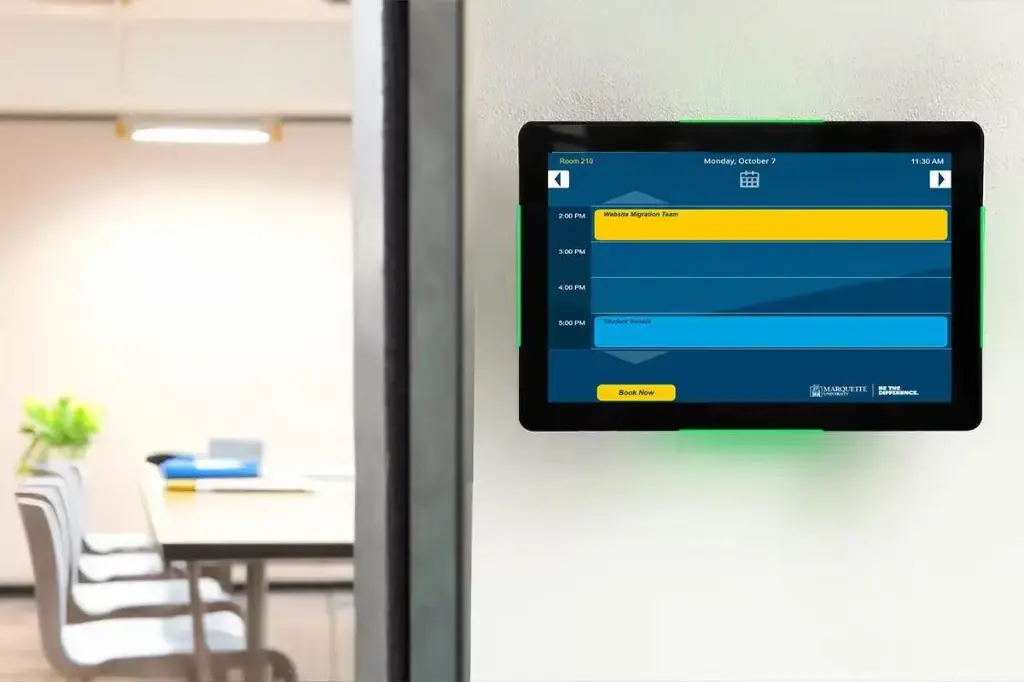
Campus & University Room Scheduling
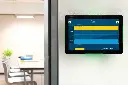
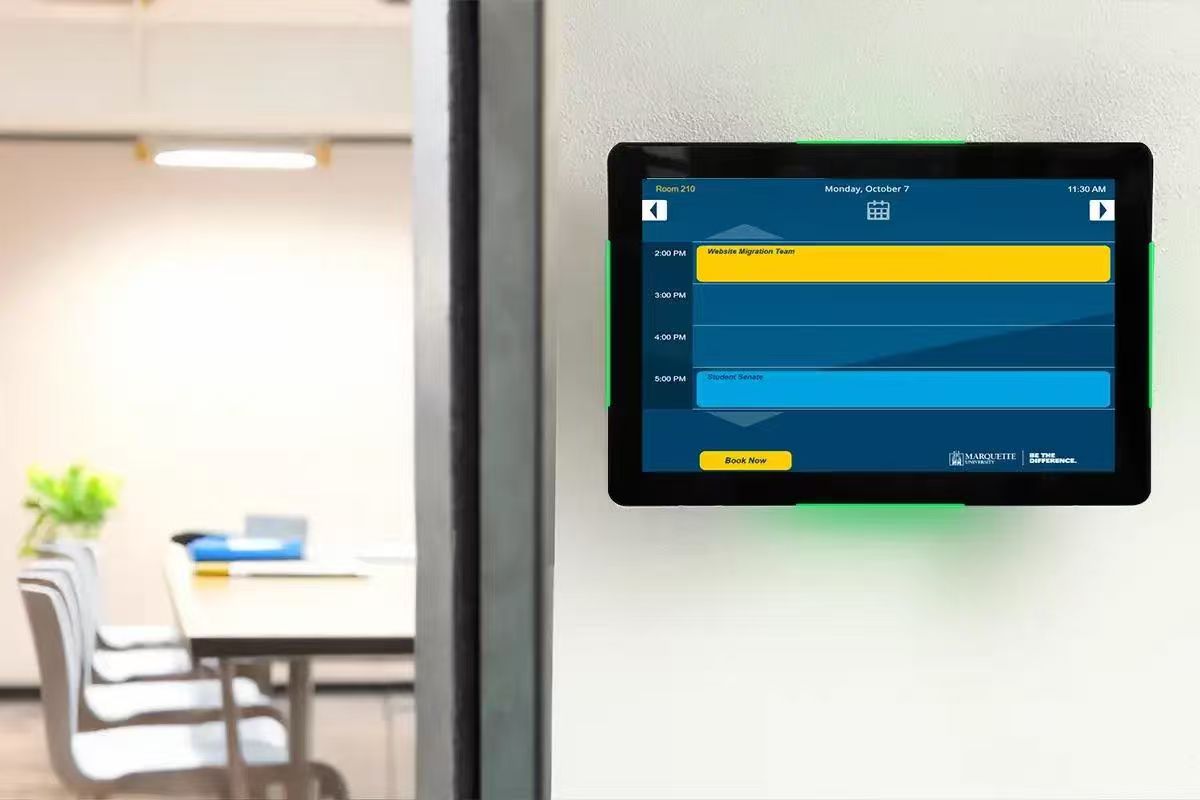
A university study room running its own branded timetable app: the day's bookings hour by hour, with a Book Now bar for walk-in students. Because the panel is open Android, schools skin the interface in their own colors and connect it to their existing campus scheduling system — the corner LEDs still glow green for free slots.
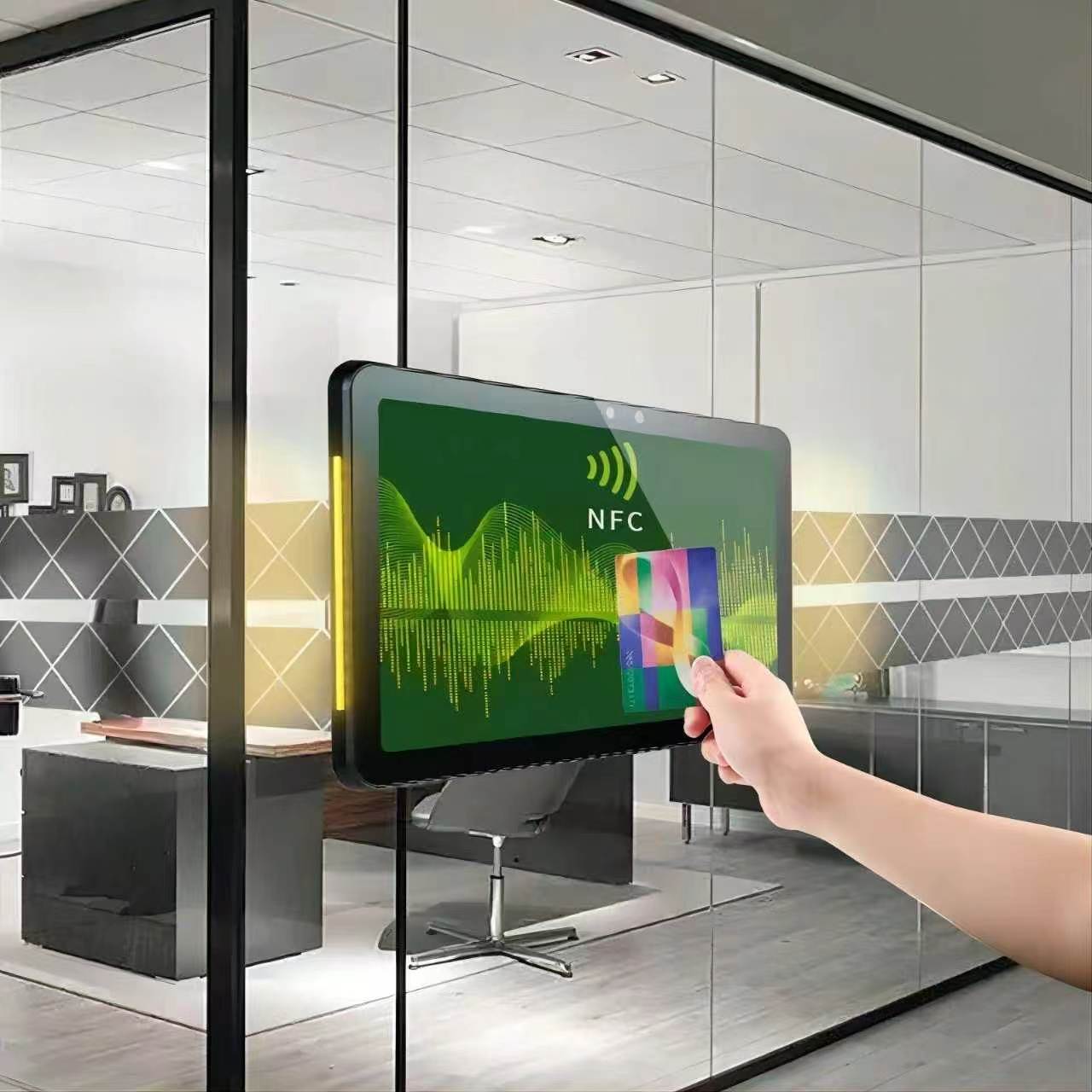
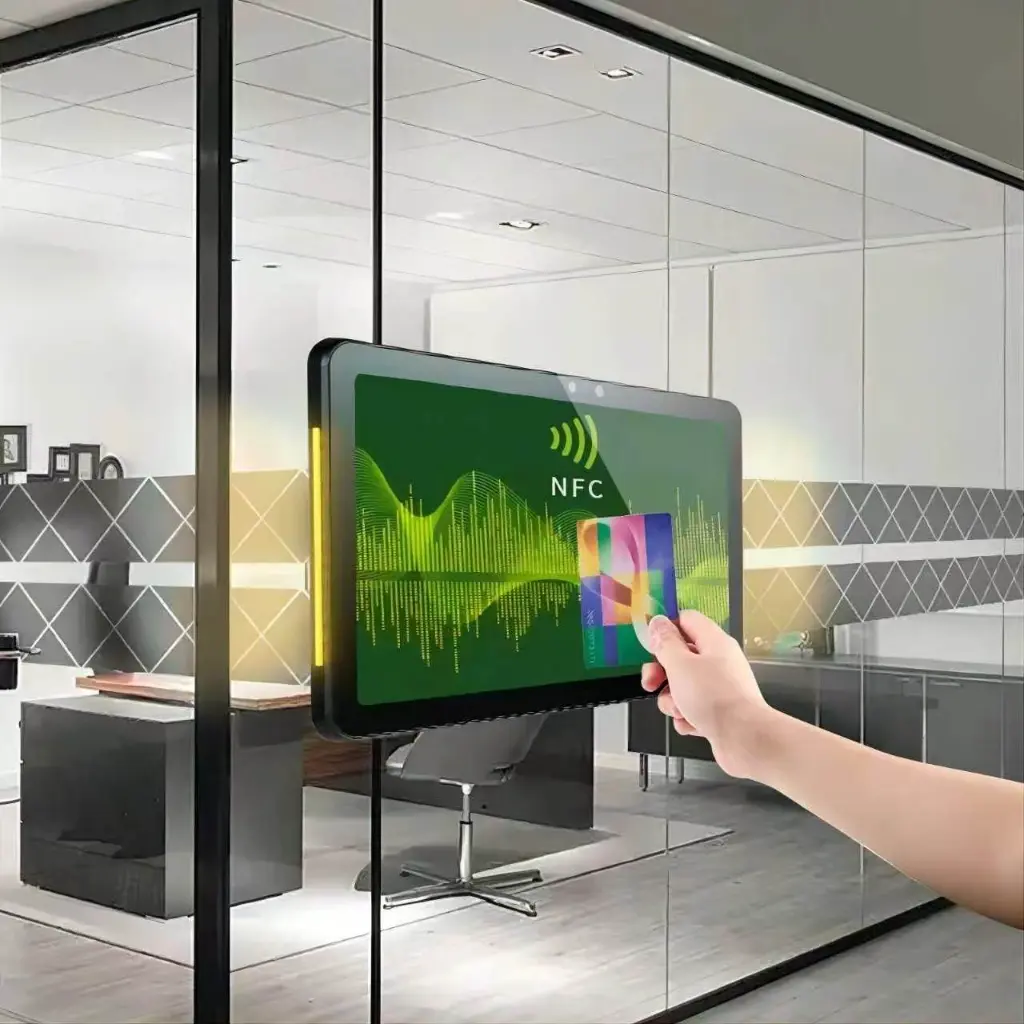
NFC Badge Check-In on Glass Partitions
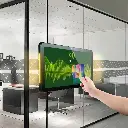
With the optional NFC reader, employees tap their badge to check in, claim a reservation or unlock the room — no typing, no app. The amber LED here signals "starting soon", prompting the current occupants to wrap up. Shown mounted directly on a glass partition with a clamp bracket.
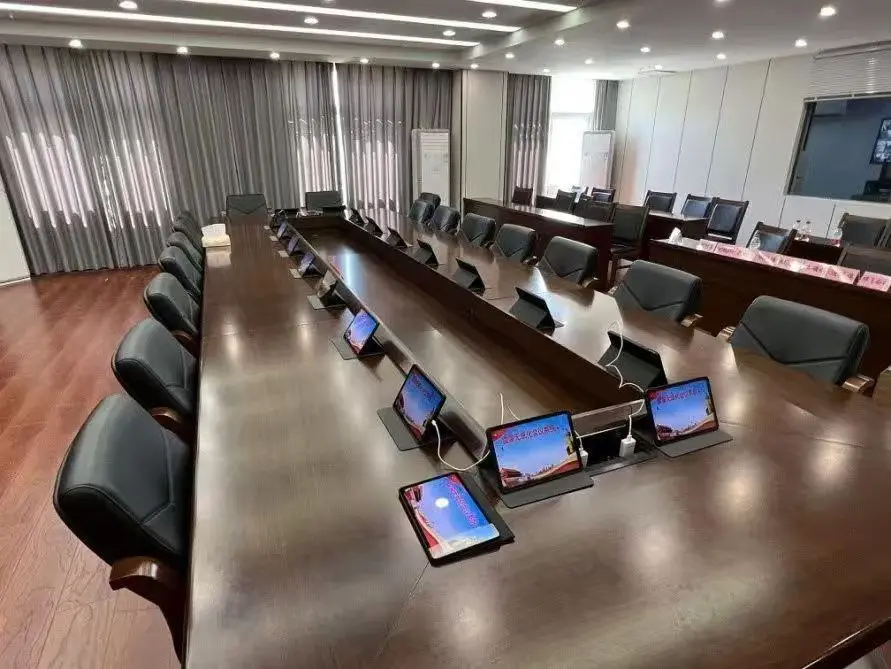
Paperless Boardroom Terminals
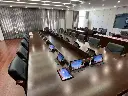
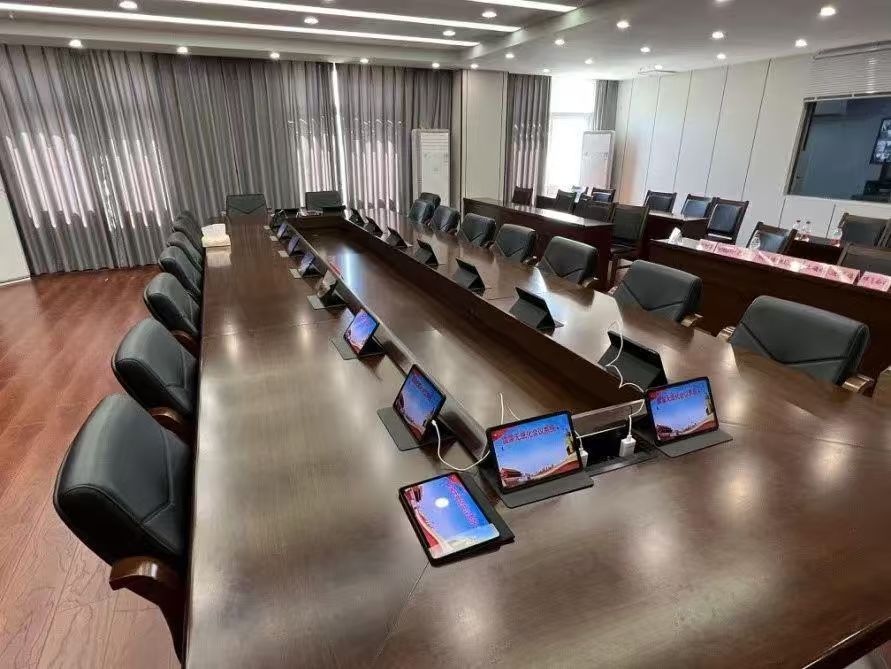
The same panel hardware works inside the room too: a government boardroom deployed one unit per seat along the conference table, running paperless-meeting software — agendas, documents and voting on every delegate's screen instead of printed binders. One hardware SKU covers the door panel outside and the seat terminals inside.
Sourcing From EELLNET
A decade of touch-panel manufacturing for workspace platforms and system integrators.
Frequently Asked Questions
Request a quote in 24 hours
Tell us how many rooms, preferred size and your booking platform — we'll respond with pricing, lead time and a sample unit option.